01
OPEN ON YOUTUBE Four-Track Acoustic Demo + LEVEL O-FX
Hear the four-track “demo. hi” acoustic-guitar project and LEVEL workflow.
ANDROID // 1.3.0 // RELEASE 55
A retro four-track Android recorder for musicians, songwriters, and audio creatives.
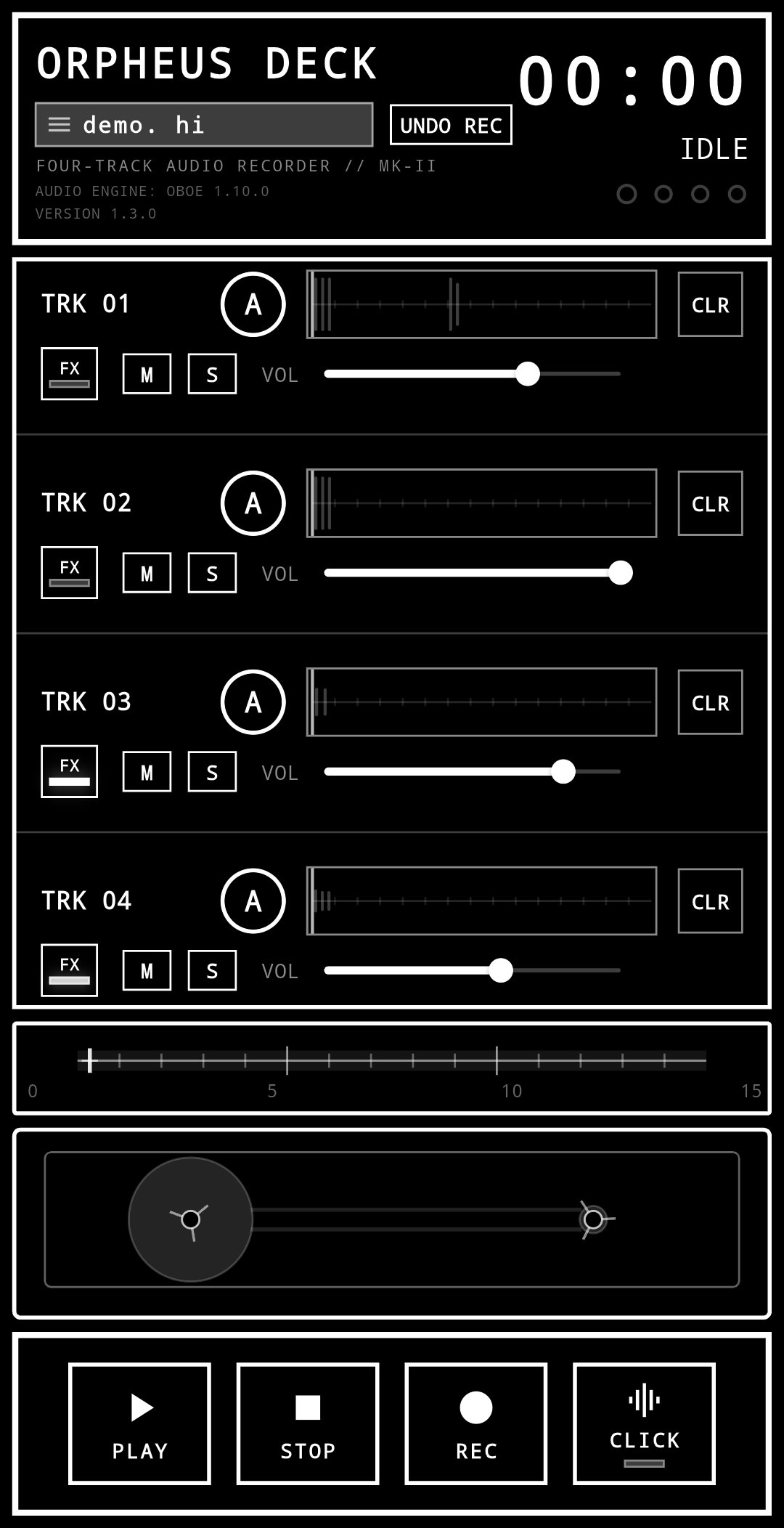
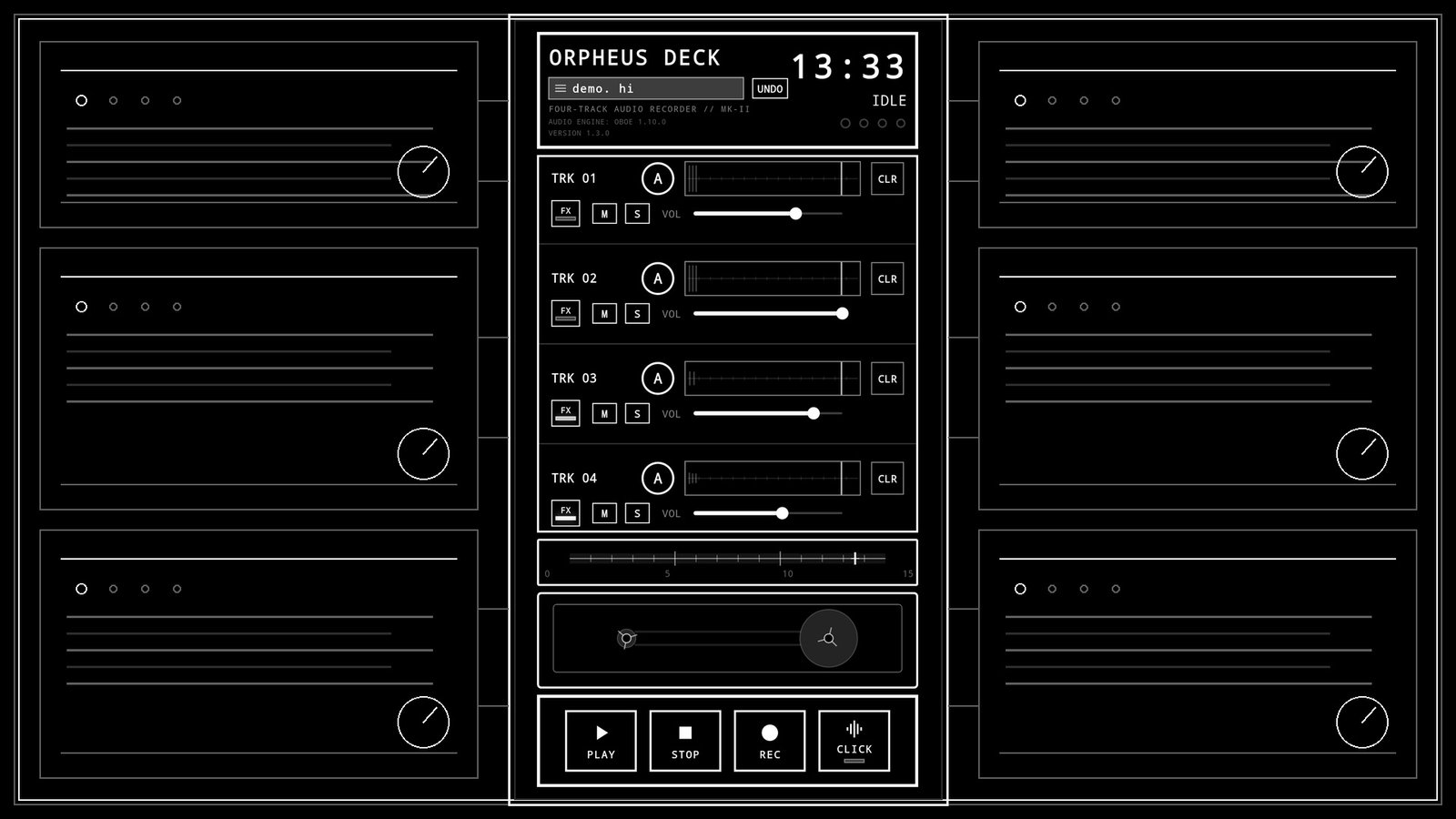
Orpheus Deck is a retro-inspired four-track recorder for songwriters, musicians, and audio creatives who need to capture ideas from the muses before they disappear.
Think of it as a musical sketchbook: fast enough to catch a riff before you forget it, focused enough to stay out of your way, and familiar enough to feel like an old cassette machine brought into your phone.
Record riffs, melodies, vocals, harmonies, demos, practice parts, sound experiments, and rough song sketches across four tracks. Arm, mute, solo, overdub, adjust levels, edit your recordings, and export WAV files when you are ready to take an idea further.
The core four-track recorder and LEVEL remain available without Pro. Orpheus Pro adds:
Orpheus Deck's EDIT machine lets you make multiple non-destructive cuts while keeping the rest of the recording aligned. Bypass your edits, undo cuts, or clear them without altering the original recording.
Orpheus is intentionally designed around a small set of connected music-making machines rather than a screen full of traditional DAW controls.
Record first. Experiment with the built-in tools. Export when you want to continue somewhere else.
Phone recording hardware varies. Orpheus uses a native low-latency audio engine, but headphones and Android devices can still introduce different amounts of monitoring and overdub latency.
For the best overdubbing experience:
Orpheus Deck is a creative sketchbook, not a sterile studio.
Capture the idea. Keep playing. Let a few beautiful imperfections become part of the song.
Load a privacy-enhanced YouTube player only when you choose. Playback never starts automatically.
Hear the four-track “demo. hi” acoustic-guitar project and LEVEL workflow.
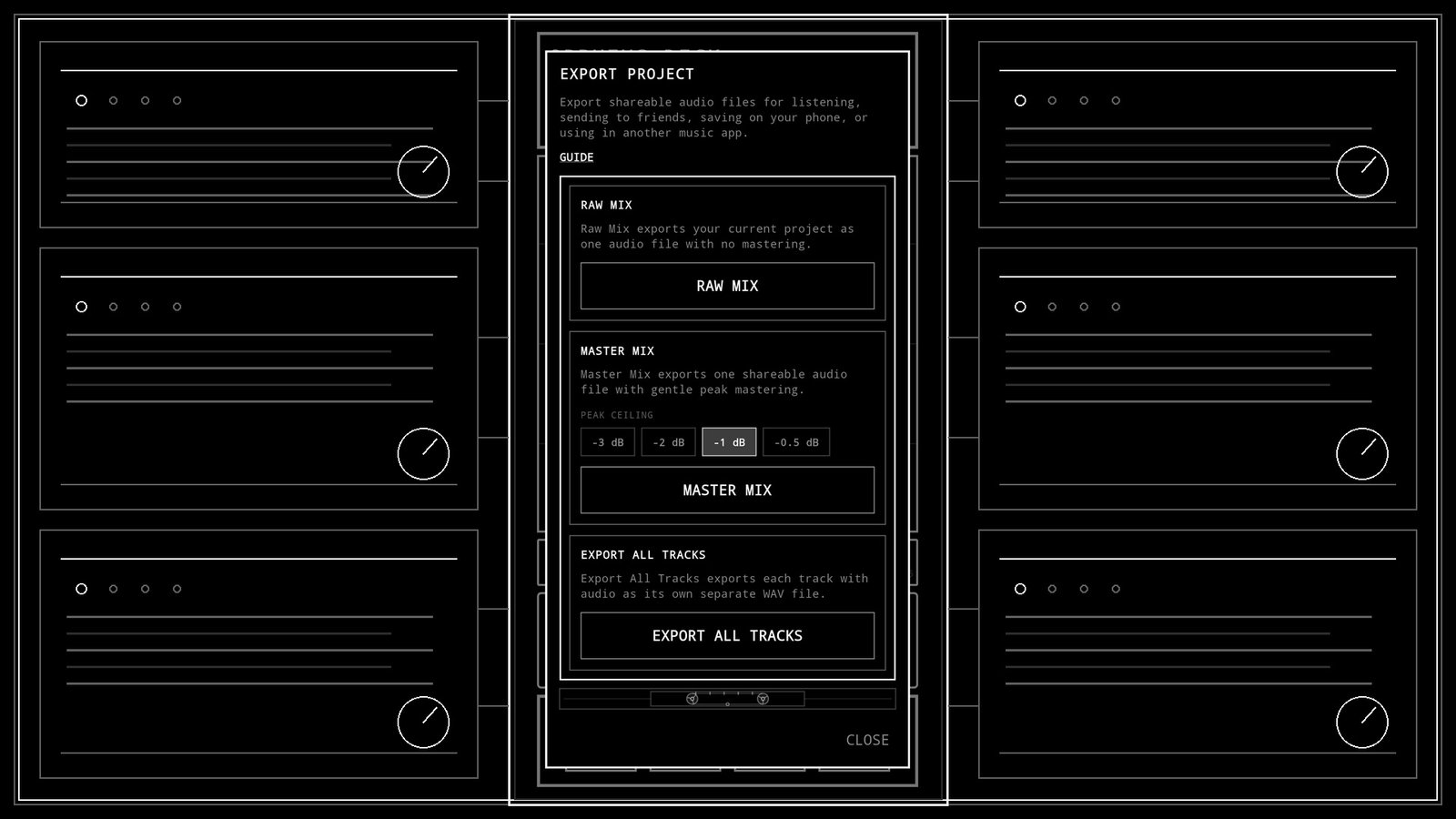
See the Orpheus Deck 1.3 Master Mix export workflow.
Send a direct message. This does not subscribe you to updates.
Check your inbox to confirm your subscription.
Receive email updates from Junkfeathers. Unsubscribe anytime. Privacy Policy.
Optional analytics cookies help me see what people actually use, improve the website, and decide what strange thing to build next. Google Analytics only loads if you allow it. No advertising personalization.